The Truth About Vibe Coding: It’s Not About Writing Code, It’s About Attention Management
Last week, I met a programmer friend who had five Claude Code windows open on his screen. One was for writing code, another for testing, one for generating documentation, and two for miscellaneous tasks.

He said something that stuck with me: “I’m not writing code; I’m switching between five windows.”
At the end of the day, he wasn’t exhausted from coding; he was drained from the constant switching, judging, and confirming. This phenomenon is becoming increasingly common.
A New Species Emerges: From “Craftsman” to “Dispatcher”
As multiple AI agents work in parallel, the role of programmers is undergoing a fundamental change.
In the past: You were a craftsman, typing code with deep thought and entering a flow state.
Now: You are a dispatcher, where your brain is no longer responsible for “writing code” but for frequent context switching and instruction review.
In this state, the fatigue isn’t from deep thinking but from anxiety and distraction caused by “decision chain overload.” A programmer described it as: “It’s like being a cashier at McDonald’s, with five windows all having customers ordering at once.”
A Special Solution
Y Combinator invested in a startup with an AI programming tool called Chad. Its main function is to push TikTok videos, gambling mini-games, Tinder dating apps, and various “mind-numbing” content to programmers while AI generates code.
The idea is to pop up games or short videos during the AI’s task intervals to let developers “relax.” Many think this is a good approach.
But this is actually a typical form of “disruptive rest.”
When you are waiting for Claude Code A’s output, your brain is still in a “connected” state. When a game pops up, your brain is forced to load a new context—the game rules, operation logic, scoring mechanism.
Once the game ends, you switch back to the code window, and your brain has to reload the previous task context. This is not rest; it’s double consumption.
It’s like running 1000 meters and then being told to “relax” by immediately going swimming. That’s called switching tasks, not resting.
Real Energy Management: Five Strategies
Since “disruptive rest” doesn’t work, what does?
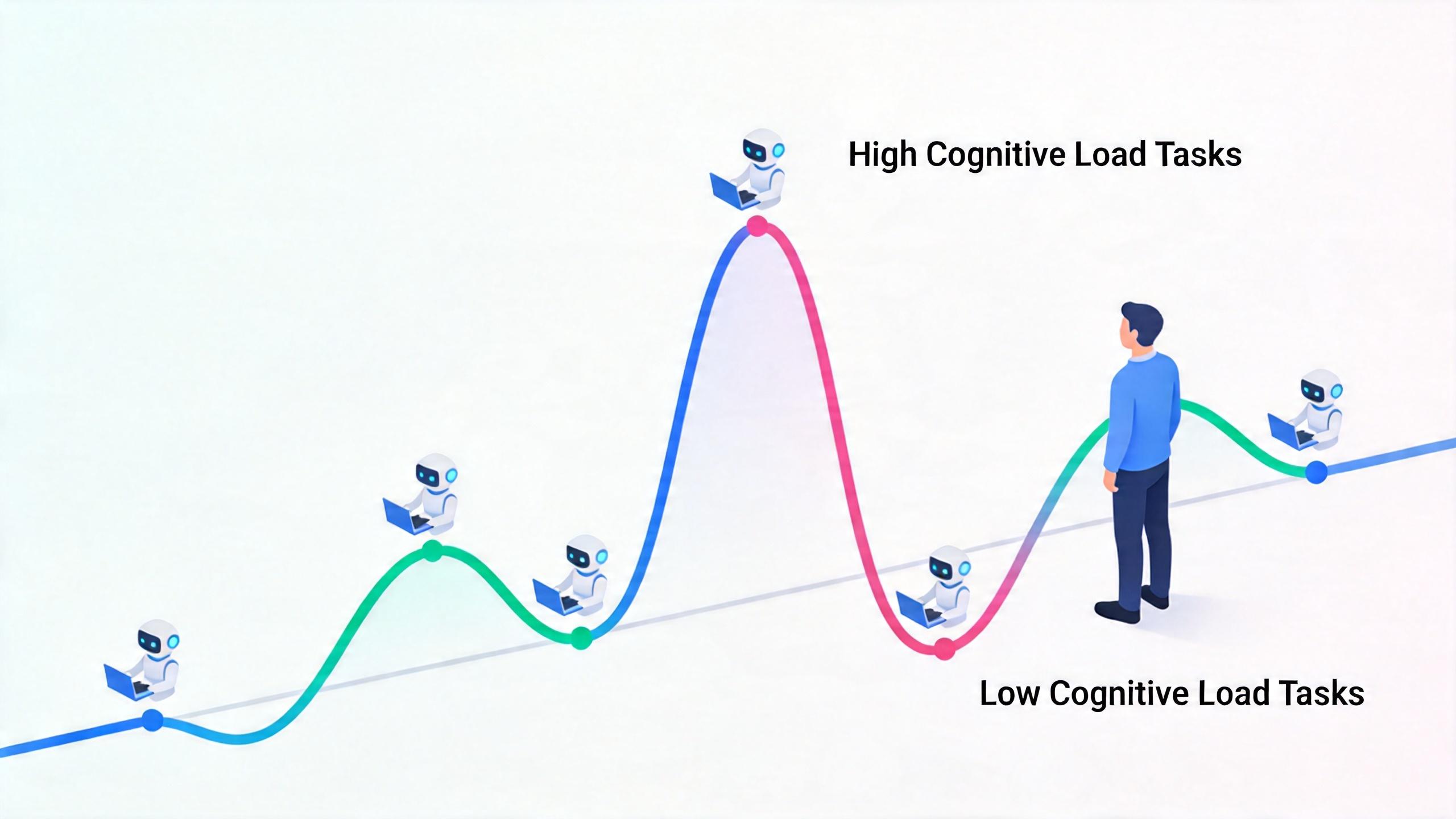
1. Establish “Peaks and Valleys” in Task Scheduling
Don’t let all AI tasks operate at the same rhythm. Layer tasks by cognitive load:
| Type | Characteristics | Examples |
|---|---|---|
| High Bandwidth Tasks (Peaks) | Require tight logical review | Core algorithms, complex refactoring |
| Low Bandwidth Tasks (Valleys) | High certainty, strong fault tolerance | Test cases, formatting adjustments, documentation generation |
Strategy: Ensure that only one “peak” task is running at the same time. When Claude A is handling complex logic, Claude B and C should only do those menial tasks that you can confirm with a glance. Don’t let five peaks collide at once.
2. Shift from “Process Monitoring” to “Snapshot Checking”
The biggest energy sink in Vibe Coding is that you can’t help but watch every line of code output by the AI. This is called the “monitoring effect”—like staring at a kettle, waiting for it to boil.
A better approach: Set clear checkpoints for the AI. Tell the agent: “Stop at step X or when encountering error Y, and wait for my confirmation.”
During the AI’s execution, force your eyes away from the screen, physically disconnect—stand up, take a few steps, look outside, or close your eyes for 30 seconds. Instead of scrolling through short videos during the wait.
3. Build an “External Brain” as Context Buffer
When switching between multiple Claude Code windows, the information density can cause your brain to “load slowly”—the moment you switch back, your mind goes blank: “What was I doing?”
The solution is simple: Place a piece of paper or a simple notepad on your desk. Before switching windows, take 10 seconds to write down the core objective of the current window:
Window 1: Refactor payment module, core issue is concurrency
Window 2: Write test cases, cover exceptional branches
Window 3: Generate API documentation, run after A completes
This physical record can significantly reduce the “cold start” cost when you switch back to that task. The brain is not good at remembering “where I am,” but excels at recalling “what I wrote.”
4. Use a Variant of the “Pomodoro Technique”: Batch Processing Mode
Don’t respond to AI on demand; let it batch process.
Strategy: Set a 15-minute “high-intensity intervention period” to continuously handle feedback and instructions from 3-4 agents; then enter a 5-minute “complete silence period.”
15 minutes: Review window 1 → Confirm window 2 → Issue new instructions in window 3
5 minutes: Step away from the screen, don’t look at anything
Logic: This method actively manages AI rather than being led by the AI’s output progress bars. You are “conducting a symphony,” not “being awakened by five alarms at once.”
5. Reduce the Frequency of “Micro-Decisions”
The core of energy depletion often lies not in coding but in micro-decisions—
- Should I change this variable name?
- Should I add this comment?
- Should I ignore or handle this error?
Each choice consumes your cognitive resources.
Management method: Pre-set rules. Before starting Claude Code, establish all style and error handling methods through a configuration file or System Prompt:
# In the System Prompt:
- Variable naming: CamelCase, no abbreviations
- Error handling: All exceptions must log
- Code style: Follow ESLint rules
- Comment requirements: Each function must have documentation comments
Purpose: Reduce the fragmented choices you need to make during collaboration, allowing you to focus your energy on true architectural judgments.
Effective Rest: Reduce Input, Not Switch Input
In a high-concurrency development state, the best rest is not “entertainment” but “reducing input.”
Why doesn’t scrolling through short videos count as rest?
Because your brain is still processing input—images, sounds, plots, emotions. Your visual and auditory systems continue to work, consuming cognitive resources.
What is true rest?
- Close your eyes for 30 seconds
- Stare blankly at a tree outside
- Stand up and take a few steps
- Drink some water and think of nothing
These moments that seem like “doing nothing” are when the brain truly restores cognitive resources.
If you find yourself frequently “spacing out” between windows, it may indicate that your cognitive load has reached a critical point.
At this time, don’t open the next window or scroll through the next video. Instead, close your eyes, breathe, and disconnect.
This is Not Just a Personal Management Issue; It’s a New Management Science
When we broaden our perspective, we realize this is not just about “how programmers rest.”
This is a new management proposition.
In traditional management, managers oversee “people.” A project manager coordinates team members’ task assignments, progress tracking, and conflict resolution.
But in the AI era, one person may manage 5, 10, or even more AI agents. Each agent works in parallel and needs to be reviewed, guided, and corrected.
This is a new organizational form of “one person, multiple machines.”
| Traditional Management | AI Era Management |
|---|---|
| Management Object: People | Management Object: AI Agents |
| Core Skill: Communication and Coordination | Core Skill: Context Switching |
| Source of Fatigue: Interpersonal Conflicts | Source of Fatigue: Decision Overload |
| Rest Method: Socializing and Entertainment | Rest Method: Reducing Input |
What does this mean?
It means every AI collaborator needs to become their own “project manager.” Not managing others but managing their cognitive resources.
It means “energy management” is no longer a soft skill in HR training but a core hard skill for developers in the AI era.
It means we may need a whole new “cognitive scheduling theory”—how to allocate attention among multiple AI agents, how to design checkpoints, how to establish buffers, and how to judge your own load threshold.
Currently, there are no ready-made answers for these.
Conclusion: Don’t Let Progress Bars Control You
Returning to my programmer friend. He later told me he tried the “batch processing mode”—consolidating interventions for five windows within 15 minutes, then forcing himself to step away from the screen for 5 minutes.
“I feel much better. At least I know when to look and when not to look.”
AI is reshaping the way we work.
We used to talk about “flow state”; now we talk about “switching.”
We used to discuss “deep thinking”; now we discuss “quick reviews.”
We used to say, “take a break”; now we say, “disconnect for 30 seconds.”
Times are changing, but the brain’s operating mechanism remains the same.
It still needs rest, buffering, and care.
When you have five windows open and your brain starts to feel foggy—don’t click on the next video or switch to another task.
Stand up, take a few steps, and look outside.
Because in the AI era, what is truly scarce is not computing power, but your attention.
Comments
Discussion is powered by Giscus (GitHub Discussions). Add
repo,repoID,category, andcategoryIDunder[params.comments.giscus]inhugo.tomlusing the values from the Giscus setup tool.